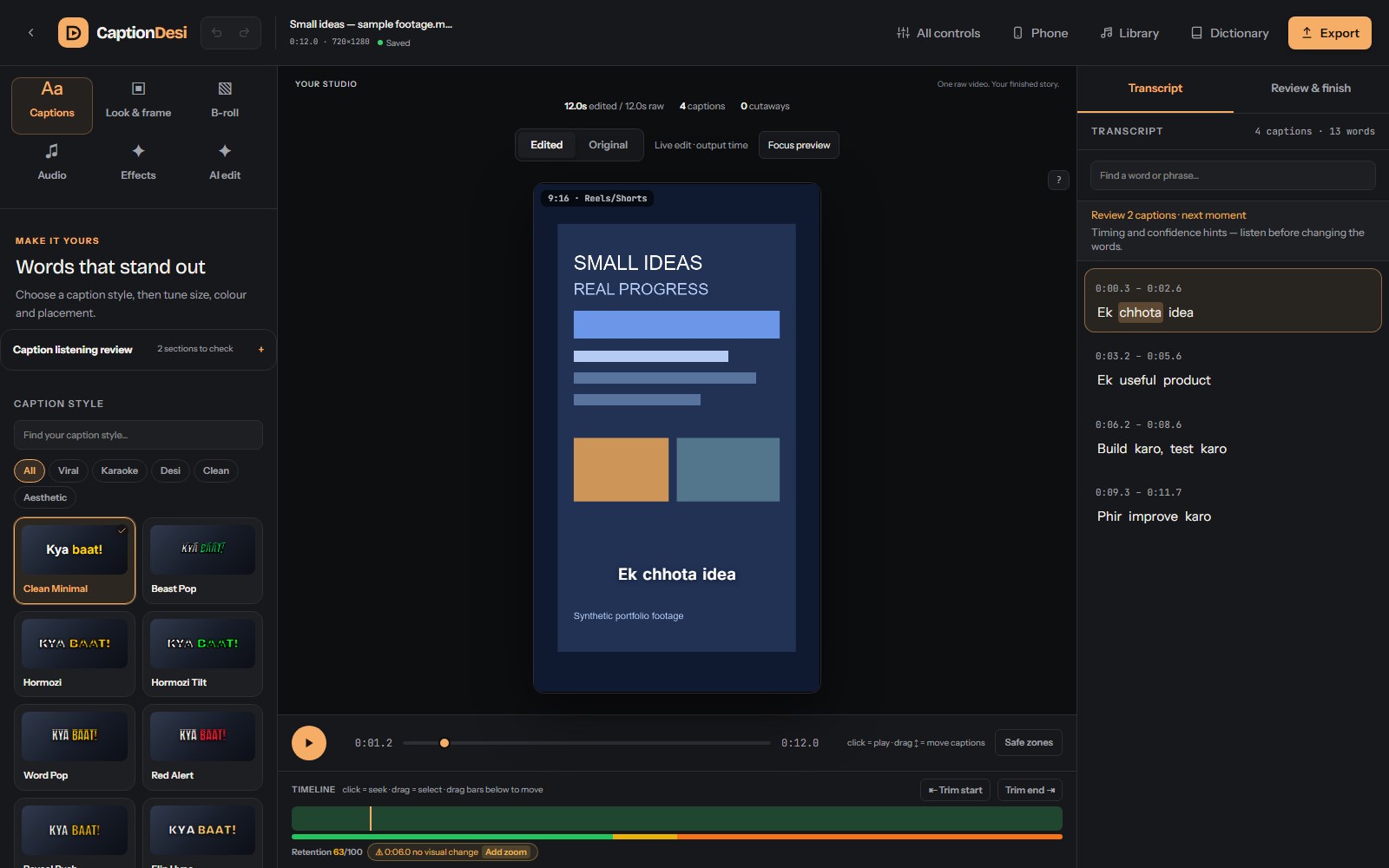
Turn raw footage into editable short-form videos, with word-timed Hindi, Hinglish and English captions. A shared timeline keeps cuts, captions, preview and export in step.
Shared timeline · recoverable editingLocal studio · active development
The challenge
Keep captions, sound and visuals aligned when cuts and playback changes reshape a video—and make that work recoverable.
The approach
Keep the original footage immutable. Describe edits in source time, derive output time through shared mapping, and use one typed payload for preview and export.
Actual production frontend, captured 20 October 2026 with generated sample footage and a preconfigured transcript. Isolated API fixtures; this capture does not demonstrate live transcription or a completed export.
What it is
A local video studio built around an editable project, rather than a one-shot AI result. Import footage, transcribe and refine the words, shape the edit, compare the preview and export. Automated passes can suggest cuts, zooms, sound and cutaways; creators retain manual controls, Undo and review. Media processing runs locally, with configurable speech and AI services for connected features.
How it works
Footage becomes an editable project with timed words and non-destructive editing instructions. Shared timeline functions drive the preview and render request; saved jobs and checkpoints track work beyond the current screen.
01
Import and identify footage
Resumable uploads and source identity support reuse without overwriting original media.
02
Build timed, editable captions
Speech adapters, alignment and spelling tools produce words the creator can review and correct.
03
Shape the story
Manual controls and automated suggestions change cuts, framing, audio and visuals with Undo and protected sections.
04
Map source time to output time
Shared functions account for removed sections and speed changes across captions, sound and picture.
05
Preview and render
React/Remotion preview and a typed export contract feed the queued Remotion/FFmpeg render path.
06
Check, save and recover
Finished-file checks, export tracking, ordered saves and browser checkpoints make status and recovery explicit.
Engineering decisions
One clock contract for the whole edit
Store original word and cut positions in source time, then derive the edited timeline with shared mapping functions and a common export payload.
The tradeoff
Each tool must respect the mapping contract. Independent timestamp arithmetic would make captions or overlays drift after cuts and speed changes.
How to assess it
The source separates shared/editTimeline.ts from UI controls and uses exportPayloadOf for render requests. The repository includes mapping and rendered-output regressions.
Treat recovery as part of editing
Serialize autosave writes, retain browser checkpoints and keep export progress outside the export dialog. Remember job requests so repeated actions can reconnect.
The tradeoff
Recovery requires revision checks, status handling and the original uploads. A saved project contains editing instructions, not a backup of its footage.
How to assess it
SaveQueue preserves write ordering; useAutosave watches project fields rather than playback ticks. Server restarts report interrupted jobs explicitly.
Reuse rendering work only when it is equivalent
Separate interactive preview from heavy export decoding, virtualize long transcripts and validate render dependencies before reusing bundles or finished outputs.
The tradeoff
Content identity, bounded caches and invalidation add complexity. Reuse is valid only when source media, edit settings and renderer dependencies still match.
How to assess it
The render identity implementation hashes full dependency content and detects changes during preparation. Tests cover stale identities, corrupted results and cache invalidation; no general speedup is claimed here.
What I built
Word-level captions, editable transcript, spelling vocabulary and subtitle files for Hindi, Hinglish and English
One source-to-output time mapping coordinates cuts, faster pauses, captions, audio and visual placement across preview and export
Automated editing, manual framing, music ducking, cutaways and saved short-clip review, with reversible edits and protected sections
Resumable uploads, ordered autosaves, browser recovery checkpoints and export tracking that survives closing the dialog
Remotion and FFmpeg rendering with bounded processing, cache validation and finished-file technical checks; original footage is preserved
Under the hood
Creator control
Editable captions and multiple styles, subtitle exports and spelling review.
Manual cuts, source-clock scene layouts, music, cutaways and reversible automatic edits.
Saved clip decisions and independent clip export workflows.
Reliability beneath the interface
Original media remains separate from derived preview and render files.
Durable workflow records and tracked exports preserve status beyond a dialog or browser tab.
Ordered server saves and local browser checkpoints provide complementary recovery paths.
Evidence and current scope
The portfolio image is the genuine built frontend with synthetic footage, supplied caption timings and isolated API responses.
Source and release documentation include deterministic, browser and real-media export checks. Those records are separate from this portfolio capture.
Human-reviewed caption accuracy, long-project performance and editorial quality require their own evaluations. No public user count or competitor ranking is inferred.